Tag
Classic Roguelike Games
Explore traditional roguelikes through their archived DOS editions. Read the map symbols, manage supplies and learn a command set that can differ between games and versions. These entries explain the releases available here, including older NetHack and Dungeon Crawl builds.
Browse all 8 games ↓A few places to start
- Rogue
Start with F1 for commands and F2 for map symbols, then watch food and equipment as you explore the dungeon.
- NetHack
Seek the Amulet of Yendor. The archived guide is from the 3.4 era; check letter movement and command help before setting off.
- Linley's Dungeon Crawl
Try the classic DOS 4.0.0 beta 26 build. This is Linley's game, rather than a current Dungeon Crawl Stone Soup release.
Archive entries
↑↓ Select · Enter Open| Game | Platform | Year | Genre | Play |
|---|---|---|---|---|
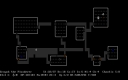
GladiusBuild a fighter, thief or spellcaster in Gladius, then explore, equip items and target enemies through keyboard-driven commands. | DOS | 1996 | RPG | PLAY |
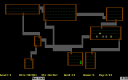
Linley's Dungeon CrawlDescend in search of the Orb of Zot, learning item and movement commands in the classic DOS version of Linley’s Dungeon Crawl. | DOS | 1997 | RPG | PLAY |
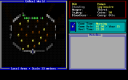
MAGDescend through a dangerous dungeon to recover the Sudbury Sapphire, then survive the return journey to the surface. | DOS | 1988 | RPG | PLAY |
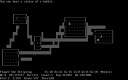
NetHackExplore the Mazes of Menace for the Amulet of Yendor in NetHack, using turn-based movement, inventory commands and contextual help. | DOS | 1987 | RPG | PLAY |
NetHack PlusExplore a dangerous dungeon in NetHack Plus, using distinct commands for food, equipment, searching and the quest for the Amulet of Yendor. | DOS | 1994 | RPG | PLAY |
RogueExplore the Dungeons of Doom in Rogue, managing food and equipment while navigating rooms, passages, traps and monsters. | DOS | 1984 | RPG | PLAY |
SLASHExplore SLASH release 6, a NetHack variant with extra character classes and dungeon content, using its packaged number-pad controls. | DOS | 1996 | RPG | PLAY |
UnReal World 2.04Survive and explore the early UnReal World, managing equipment, skills, food and wounds through its character-driven wilderness interface. | DOS | 1995 | RPG | PLAY |