CrossConnect
Saves are stored in this browser.
Player notes
About this game
CrossConnect is a 2022 logic game by Quinn Painter based on the Numberlink family of puzzles. Each level presents a square grid containing several pairs of matching nodes. A puzzle is complete only when every pair is joined and every cell on the board belongs to a path. Connecting the obvious pairs is therefore only half the problem: a route that reaches its partner can still block the remaining colors or leave an isolated empty square.
Move the cursor with the arrow keys. To begin or extend a path, place the cursor on a node or on the open end of an existing line, hold X, and move into an adjacent cell. Press Z to delete line segments when a route takes the wrong turn. Segments that no longer connect to a node are removed automatically, which makes correction faster than erasing an entire path one cell at a time. In the level-select screen, holding Tab changes pages more quickly.
The most reliable way to solve a board is to identify constrained routes first. Nodes near corners or edges usually have fewer possible exits, while pairs in the open center can bend around several different paths. Avoid sealing off a one-cell pocket unless a path endpoint belongs there. When two colors compete for the same corridor, test the pair with the least room before drawing the flexible route. A completed connection is not permanent, so erase it if the remaining empty cells no longer form a usable path.
CrossConnect was designed for Game Boy Color but also runs in monochrome mode. The color version makes pairs easier to scan, while the original Game Boy presentation also distinguishes them by number and shape. New players should treat the first levels as lessons in board coverage rather than races. Before committing the final pair, trace the empty cells with your eyes and check that the route will fill all of them. This habit prevents the common mistake of connecting every node while leaving one unusable square behind.
Start here
Quick tips
Solve pairs near corners and narrow edges first because they have fewer viable routes than nodes in the center.
Hold X while moving from a node or line end to draw; use Z as soon as a path blocks another pair.
Before closing the final route, check that it will cover every empty cell rather than merely connect the last two nodes.
- Arrow keys
- Move the grid cursor
- X + arrow key
- Game Boy A: draw or extend a path
- Z
- Game Boy B: delete path segments or go back
- Tab
- Select: change level pages faster
- Enter
- Start
- D-pad
- Move the grid cursor
- A button + D-pad
- Draw or extend a path
- B button
- Delete path segments or go back
- Select
- Change level pages faster
- Start
- Start
Screens
Screenshots
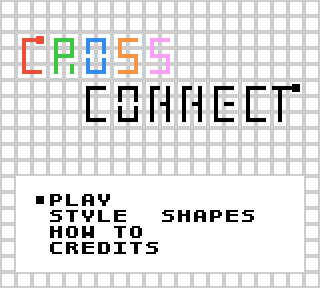
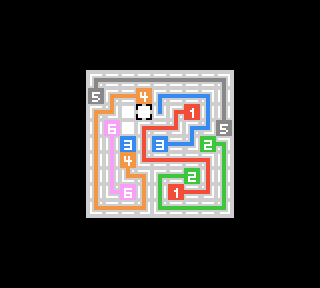
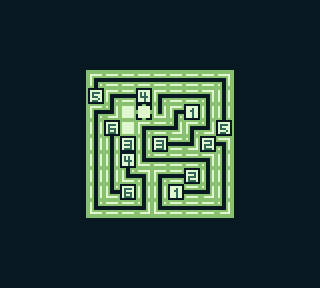
Keep playing
Similar Games
Help improve this entry
Something not working?
Report a gameplay or information problem. Short reports are enough.
Archive notes
Rights and Source Notes
The author repository publishes CrossConnect under the MIT License and provides the 1.0 ROM as an official release asset. The staged ROM SHA-256 exactly matches that official release; the license reference must remain linked with the hosted build.
- Distribution
- MIT License
- Browser player
- EmulatorJS · Browser play
- Archive review
- Reviewed 2026-07-21 · recheck by 2027-07-21
- Official references