Shock Lobster
Saves are stored in this browser.
Player notes
About this game
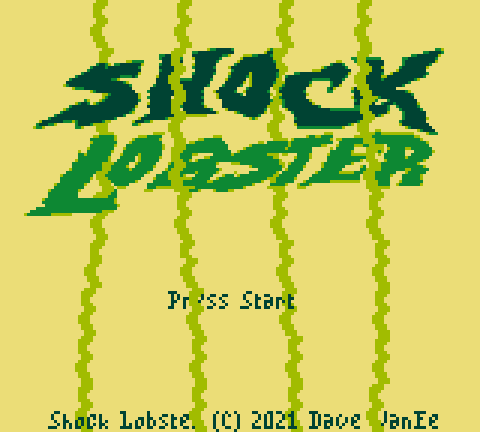
Shock Lobster is a 2021 Game Boy action game by Dave VanEe, created for the Game Boy Competition 2021. The player controls a lobster with an expanding set of magical combat skills. Each run combines obstacle avoidance, timed attacks, energy management, and a score chase. Pearls earned during play unlock new skills, upgrades, and consumable items, so the next attempt can be built around a different loadout rather than repeating exactly the same attack pattern.
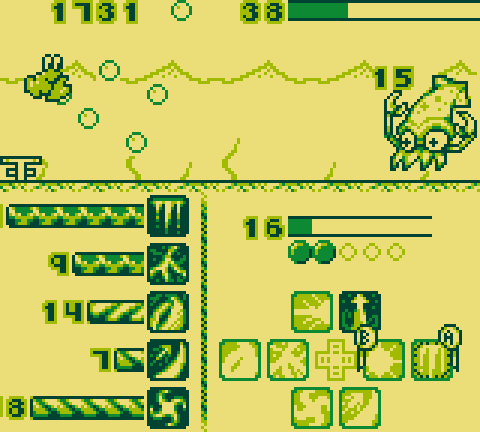
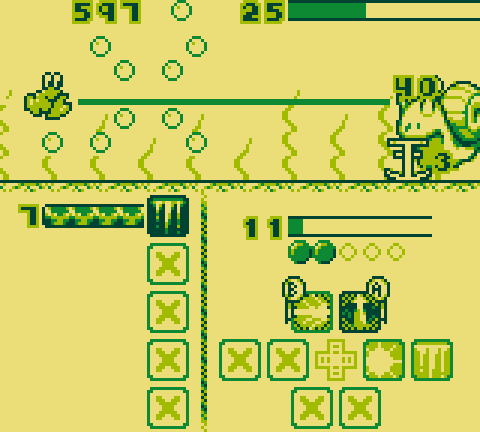
On the loadout screen, use the D-pad to select an item, X to confirm, unlock, or toggle it, Z to go back, Tab to show important details, and Enter to begin. During battle, the D-pad selects one of several A/B skill pairs. X and Z then activate the corresponding skills in that pair, while Enter pauses. The selected pair normally returns to the top position when the D-pad is released, but the Sticky D-Pad option can disable that behavior.
Skills interact through energy, charges, damage-over-time effects, temporary buffs, and cooldowns. Basic attacks such as Zap and Shock generate charges. Finishers such as Discharge, Electrify, and Empower consume those charges for stronger damage or longer effects. Invigorate restores energy, while Focus briefly reduces skill costs. Because several effects continue over time, activating every button as soon as it lights up is weaker than building a deliberate sequence. A reliable opening is to apply a lasting effect, generate charges, then spend them with a finisher when energy is sufficient.
Press Tab on the status screen to read the exact skill details before choosing a loadout. During combat, watch the lower-left bars for cooldowns and effect duration, and keep enough energy for movement or a finishing skill instead of emptying the meter immediately. Items are single-use, so save them for a serious score attempt. High scores are tracked by game speed and loadout, making fair comparisons possible even after more upgrades have been unlocked.
Start here
Quick tips
Press Tab on the status screen and read each skill before building a loadout; several attacks are designed to be chained.
Use a charge-generating skill first, then spend those charges on a finisher instead of pressing every available attack immediately.
Watch cooldown and effect bars in the lower-left corner, and keep enough energy available for the next part of the sequence.
- Arrow keys
- Select loadout items or the active skill pair
- X
- Game Boy A: confirm or use the A-side skill
- Z
- Game Boy B: back or use the B-side skill
- Tab
- Select: show or hide skill details
- Enter
- Start a run or pause battle
- D-pad
- Select loadout items or the active skill pair
- A button
- Confirm or use the A-side skill
- B button
- Back or use the B-side skill
- Select
- Show or hide skill details
- Start
- Start a run or pause battle
Screens
Screenshots
Keep playing
Similar Games

Help improve this entry
Something not working?
Report a gameplay or information problem. Short reports are enough.
Archive notes
Rights and Source Notes
- Distribution
- zlib License
- Browser player
- EmulatorJS · Browser play
- Added to archive
- 2026-07-21
- Official references