The Puzzle Pits
Saves are stored in this browser.
Player notes
About this game
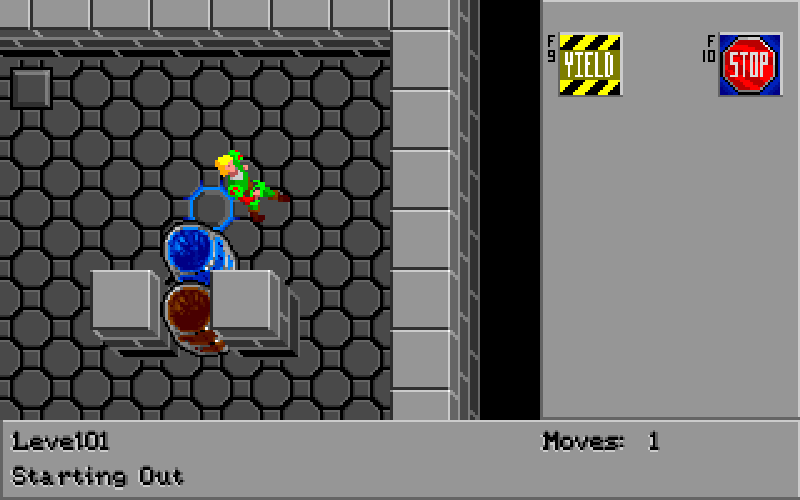
In The Puzzle Pits, you push barrels through isometric rooms full of switches, pressure plates and other contraptions. Pick up gems and keys as you explore, and think about where a barrel will end up before you push it. The first pit introduces the basic moves through a conversation with Master Flosh.
Choose Start New Game at the title screen and press Enter to read through the opening dialogue. Use the arrow keys to move, or hold a direction against a barrel for about half a second to push it. F9 restarts the current pit. The mouse offers direct movement with the left button and route finding with the right button.
This is Abe Pralle’s full DOS freeware release with 40 puzzles. The original release files are included. When you finish a pit, write down the password shown by the game so you can return from the title screen.
Start here
Quick tips
At the title screen, choose Start New Game. Enter advances the opening dialogue.
If the barrel does not move, check that the next tile is free and hold the direction instead of tapping.
Record the password shown when you clear a pit. Choose Enter Level Password at the title screen to use it.
- Arrow keys
- Move. Hold a direction against a barrel for about half a second to push it.
- Enter
- Confirm a menu choice, advance dialogue or wait a turn during play.
- F9
- Restart the current pit.
- F10
- Return to the title screen from the board.
- Displayed function key
- Use the matching gem or key shown in the side panel.
- Left mouse button
- Move toward the pointer. Keep it held against a barrel to push it.
- Right mouse button
- Find a route to the selected spot when one is available.
Keep playing
Similar Games
Ratings & comments
Help improve this entry
Something not working?
Report a gameplay or information problem. Short reports are enough.
Archive notes
Rights and Source Notes
Browser play is available for this entry. Official project references are listed below.
- Distribution
- Freeware
- Browser player
- js-dos · Browser play
- Added to archive
- 2026-11-09
- Official references
No comments yet. Be the first to share a tip.