Zap Ruder
Saves are stored in this browser.
Player notes
About this game
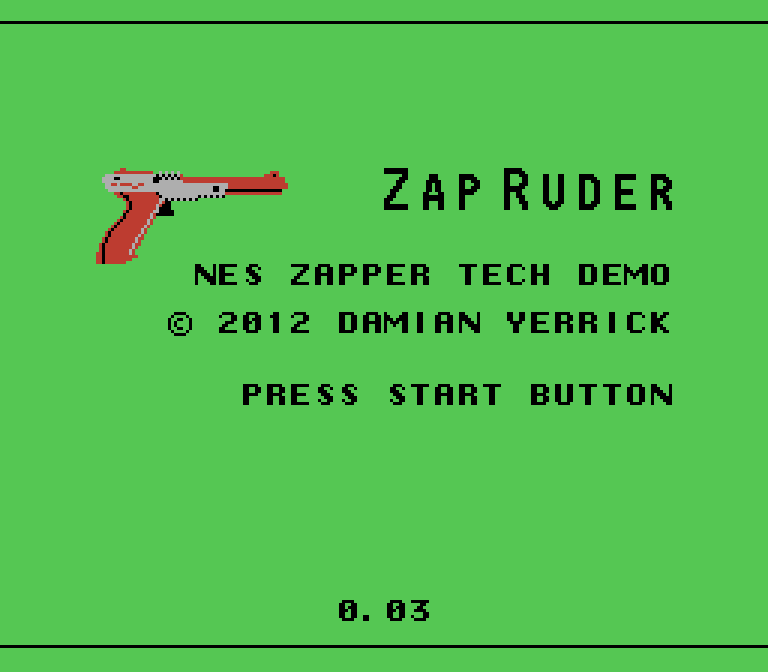
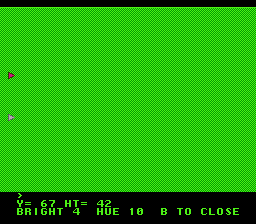
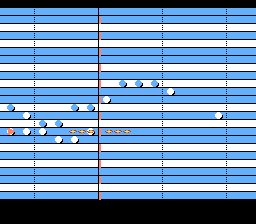
Zap Ruder is an NES Zapper test suite and homebrew game collection by Damian Yerrick. Its menus demonstrate how the light gun detects brightness and estimates where the barrel is aimed, while a set of tracking, color, pattern, and trigger tests exposes the hardware behavior directly. The browser player does not require an original Zapper: the author also provides Control Pad navigation for menus and supported activities.
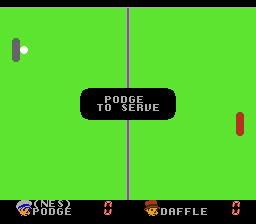
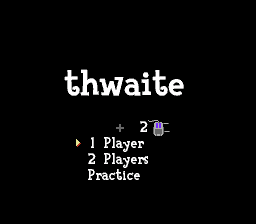
The main game is ZapPing, a two-player air-hockey variant. Join from the title screen, choose a CPU opponent or a second player, then move the paddle vertically and keep the ball from passing your side. Each player serves twice before possession changes. The pace increases as the rally continues, and a match normally ends when one player reaches at least 11 points with a two-point lead.
Use the arrow keys for the NES directional pad. X maps to A for joining, confirming, and serving; Z maps to B and can leave the game from the title screen. In ZapPing, concentrate on returning the ball rather than following every change in speed. Keep the paddle near the expected crossing point, then make a short correction as the ball approaches. The technical menus are useful even without a light gun because they show how NES brightness, patterns, and controller fallbacks were used to test real hardware.
Start with the controller-driven menus before opening the individual Zapper diagnostics. The tracking and pattern screens are demonstrations rather than conventional levels, so they are best explored one at a time. ZapPing provides the clearest game objective: protect your goal, return the puck, and wait for a clean angle before committing the paddle. A second local player can join for a direct match, while the CPU option is a practical way to learn the changing ball speed and serve rhythm.
Start here
Quick tips
Use Up and Down as the controller fallback when a Zapper is unavailable.
Press X for the NES A button to join ZapPing and serve the ball.
Keep the paddle near the ball's projected crossing point and make small corrections late.
- Arrow keys
- Move through menus or control the ZapPing paddle
- X
- NES A: join, confirm, or serve
- Z
- NES B: back or exit from the title screen
- Enter
- Start or pause
- Tab
- Select
- D-pad
- Move through menus or control the ZapPing paddle
- A button
- Join, confirm, or serve
- B button
- Back or exit from the title screen
- Start
- Start or pause
- Select
- Select
Screens
Screenshots
Keep playing
Similar Games
Help improve this entry
Something not working?
Report a gameplay or information problem. Short reports are enough.
Archive notes
Rights and Source Notes
The author repository permits copying and distribution in any medium without royalty when its copyright and license notices are preserved.
- Distribution
- Zlib
- Browser player
- EmulatorJS · Browser play
- Added to archive
- 2026-07-22
- Official references