CHAMP Asterocks
Saves are stored in this browser.
Player notes
About this game
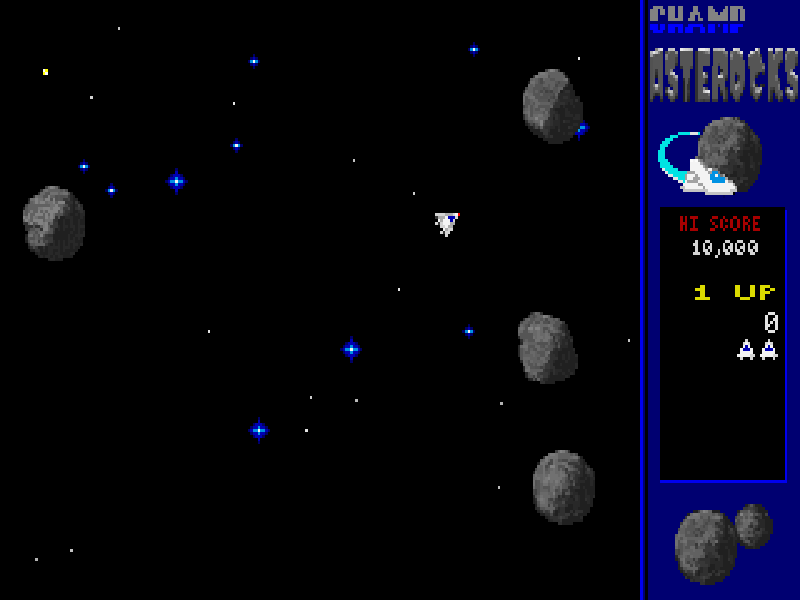
CHAMP Asterocks puts a small ship in a field of drifting asteroids. Turn to line up a shot, fire to break the rocks apart and use thrust to slip between the fragments. Enemy ships can enter from the sides, so clearing the large rocks is only part of the job. The ship keeps drifting after a burst of thrust; turning changes its aim rather than instantly changing its course.
The original Keyboard 1 settings use Left and Right to rotate, Up for thrust, Ctrl to fire and Down for hyperspace in Classic mode. Hyperspace is an emergency escape rather than a safe reset: the manual warns that the ship may reappear inside a hazard or be destroyed. F5 opens Define Keys, F1 brings up help, and F12 pauses the action.
This is CHAMProgramming’s original 1.0 DOS shareware dated 4 February 1997. Classic mode and the shareware’s own limits are retained; the registered CHAMP mode with shields, mines and bosses is not included. The accompanying text contains an inconsistent score-limit number, so no precise cap is promised here. All original program, resource, help and ordering files remain intact with the distribution notice.
Start here
Quick tips
A burst of thrust leaves the ship drifting; rotate to aim before firing.
Hyperspace may place the ship in danger and can destroy it.
Down is hyperspace in this Classic-mode shareware, not a brake.
- Left / Right
- Rotate the ship left or right.
- Up
- Apply thrust.
- Down
- Use hyperspace in Classic mode; the destination may be unsafe.
- Ctrl
- Fire missiles.
- Enter
- Confirm the highlighted menu choice; start a one-player game from the title menu.
- Esc
- Open the options menu or return to the previous screen.
- F1
- Open context-sensitive help.
- F5
- Open controller settings and Define Keys.
- F12
- Pause; press Space to resume.
Keep playing
Similar Games
Ratings & comments
Help improve this entry
Something not working?
Report a gameplay or information problem. Short reports are enough.
Archive notes
Rights and Source Notes
Browser play is available for this entry.
- Distribution
- Shareware
- Browser player
- js-dos · Browser play
- Added to archive
- 2026-11-06
No comments yet. Be the first to share a tip.