CHAMP Galagon
Saves are stored in this browser.
Player notes
About this game
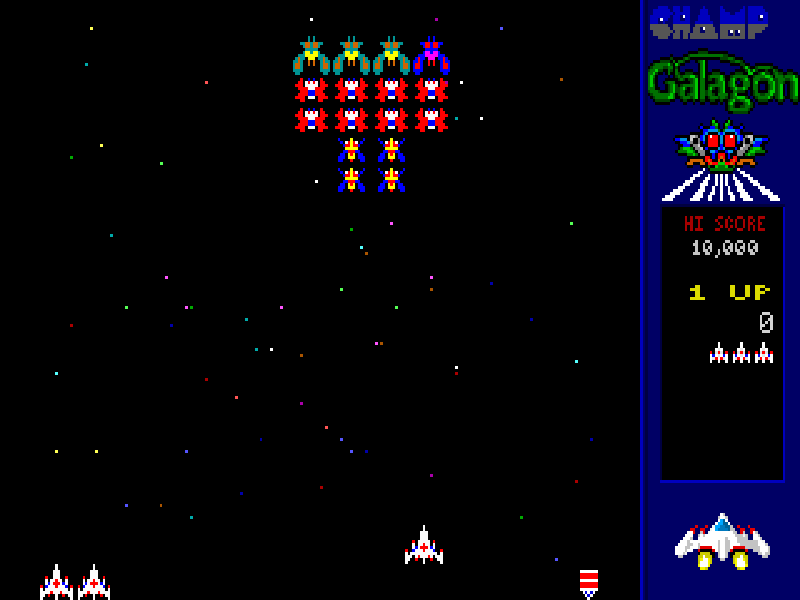
CHAMP Galagon is a fixed-screen DOS shooter built around enemy formations that peel away and dive towards your ship. Slide across the bottom of the screen, avoid their missiles and pick your shots as they sweep back into formation. Challenge stages replace incoming fire with a shooting test, rewarding a complete clear with a large bonus.
Use Left and Right to move and Ctrl to fire with the original Keyboard 1 settings. Galagon Leaders can capture a ship with a tractor beam. The manual explains that shooting its captor during an attack can recover it for double firepower, but losing your last ship to capture ends the game. F1 opens help, F5 lets you inspect or redefine keys, and Esc opens the options menu.
This is the original shareware preserved in GALAG101.ZIP; its accompanying text labels the game version 1.0. The shareware ends when the score exceeds 20,000 points. Its Classic mode is included, while the advertised CHAMP-mode attack patterns and triple-fire features belong to the registered edition. CHAMProgramming’s original files, credits and free-online-distribution terms are retained.
Start here
Quick tips
Do not let your last ship enter a tractor beam.
To rescue a captured ship, target its captor during an attack.
The shareware score limit is 20,000; it is not an emulator crash.
- Left / Right
- Move the ship across the bottom of the screen.
- Ctrl
- Fire missiles.
- Enter
- Confirm the highlighted menu choice; start a one-player game from the title menu.
- Esc
- Open the options menu or return to the previous screen.
- F1
- Open context-sensitive help.
- F5
- Open controller settings and Define Keys.
- F12
- Pause; press Space to resume.
Keep playing
Similar Games
Ratings & comments
Help improve this entry
Something not working?
Report a gameplay or information problem. Short reports are enough.
Archive notes
Rights and Source Notes
Browser play is available for this entry.
- Distribution
- Shareware
- Browser player
- js-dos · Browser play
- Added to archive
- 2026-11-06
No comments yet. Be the first to share a tip.