CHAMP Galaxia
Saves are stored in this browser.
Player notes
About this game
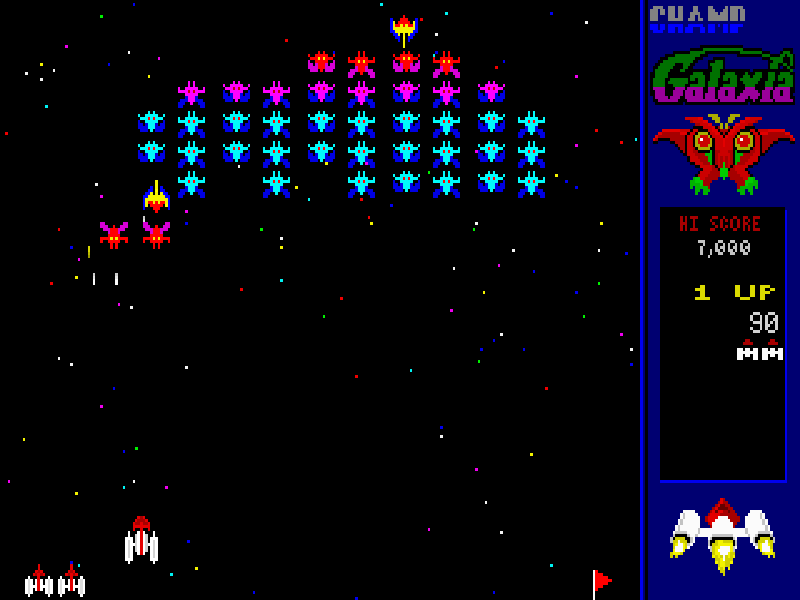
CHAMP Galaxia turns a screenful of colourful alien ranks into a compact survival test. Enemies leave the formation to dive at your command ship, firing as they descend. Clearing a wave earns a flag, but the next formation brings another round of attacks. A collision is just as dangerous as an enemy missile, so leave yourself room to escape.
With the original Keyboard 1 layout, Left and Right move the ship and Ctrl fires. Watch the attackers rather than staring only at the row you are shooting. Enter confirms a menu choice, Esc opens options, and F1 provides context-sensitive help. The controller menu on F5 includes Define Keys if you want to inspect or change the original mapping.
The edition here is CHAMProgramming’s DOS 1.0 shareware dated 28 June 1996. It is a separate game from CHAMP Galagon, despite their similar names and space-shooter presentation. Registered-mode enhancements are not part of this shareware. The archive’s original executable, data, help and text files are preserved together with the author’s distribution notice.
Start here
Quick tips
Keep some space on either side of your ship to dodge a dive.
An enemy collision can destroy the ship even if you avoid its missiles.
F5 opens the original key settings; Ctrl is the default fire key.
- Left / Right
- Move the command ship left or right.
- Ctrl
- Fire at the alien formation and diving attackers.
- Enter
- Confirm the highlighted menu choice; start a one-player game from the title menu.
- Esc
- Open the options menu or return to the previous screen.
- F1
- Open context-sensitive help.
- F5
- Open controller settings and Define Keys.
- F12
- Pause; press Space to resume.
Keep playing
Similar Games
Ratings & comments
Help improve this entry
Something not working?
Report a gameplay or information problem. Short reports are enough.
Archive notes
Rights and Source Notes
Browser play is available for this entry.
- Distribution
- Shareware
- Browser player
- js-dos · Browser play
- Added to archive
- 2026-11-06
No comments yet. Be the first to share a tip.